
You have been sent to this page to fix an issue with your device. There are 2 things to do. Try them in this order.
First, it may be that you have too many browser windows open and logged into gbbc.net. Open your browser, look to see how many windows you have open. See below for an example for Chrome. In this case, there are 5 windows open, 1 active and 4 are running in the background…
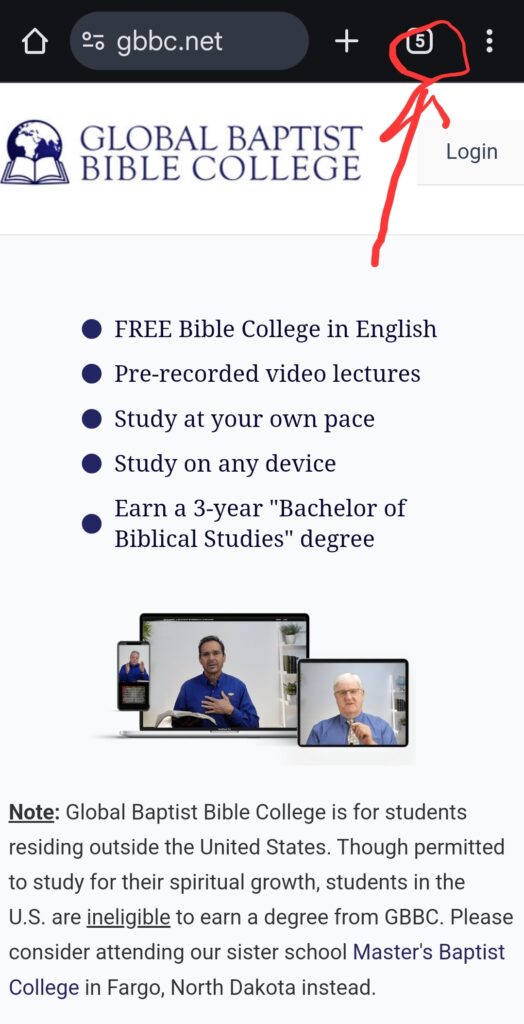
Tap on the number. It then will expand to show all the windows you have open. Manually close each one by tapping on the “X” or sometimes swiping it will delete it.
Second, clear your internet browser’s cache. This example is for Chrome. If you do not use Chrome, do an internet search for how to clear your particular browser’s cache. For Chrome:
1. Open Chrome Browser
2. Tap 3 dots in upper right corner
3. Tap Settings
4. Tap Privacy and security
5. Tap Delete Browsing Data
6. Change Time range to “All time”
7. Be sure all 3 boxes are checked: “Browsing history”, “Cookies and site data”, and “Cached images and files”
8. Tap Delete Data
Then restart your device and try again. If the issue still persists, then send an email to [email protected] with the following information:
- Your username
- The email address you registered with
- Description of your ongoing issue. Please include screenshots if needed.